Import Information
Scoutbook Process
- Navigate to your unit, then Troop Roster, then Print Roster.
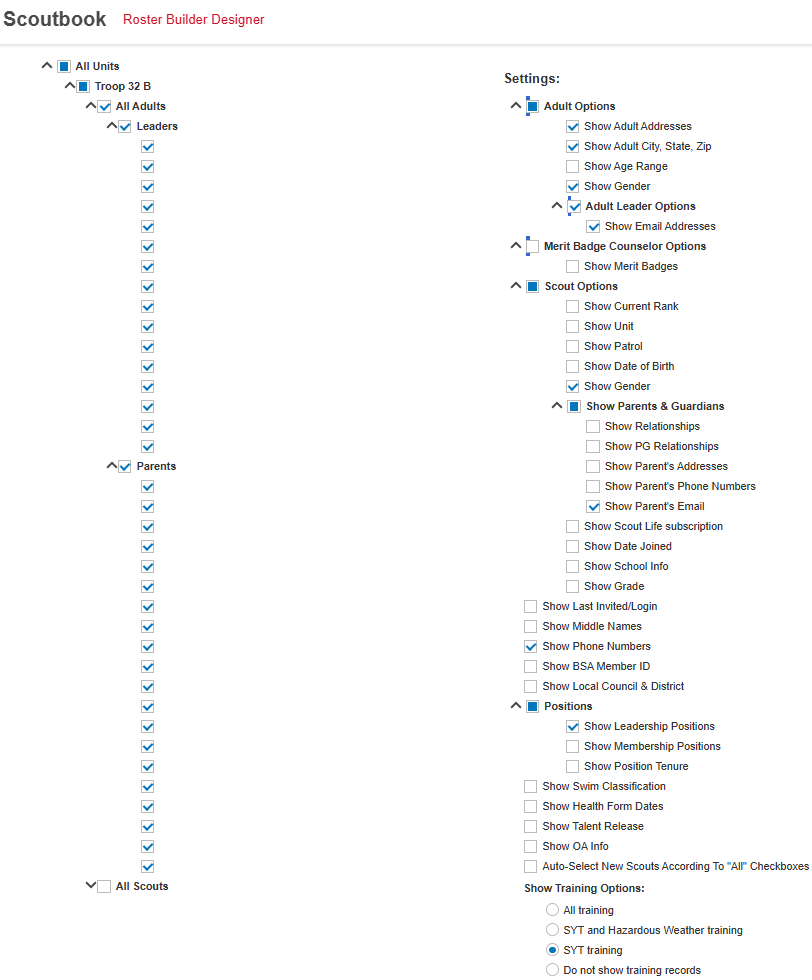
- Set the options as illustrated below for Adults.
- Click the Run button, click the CSV button. Rename the CSV with an Adult prefix.
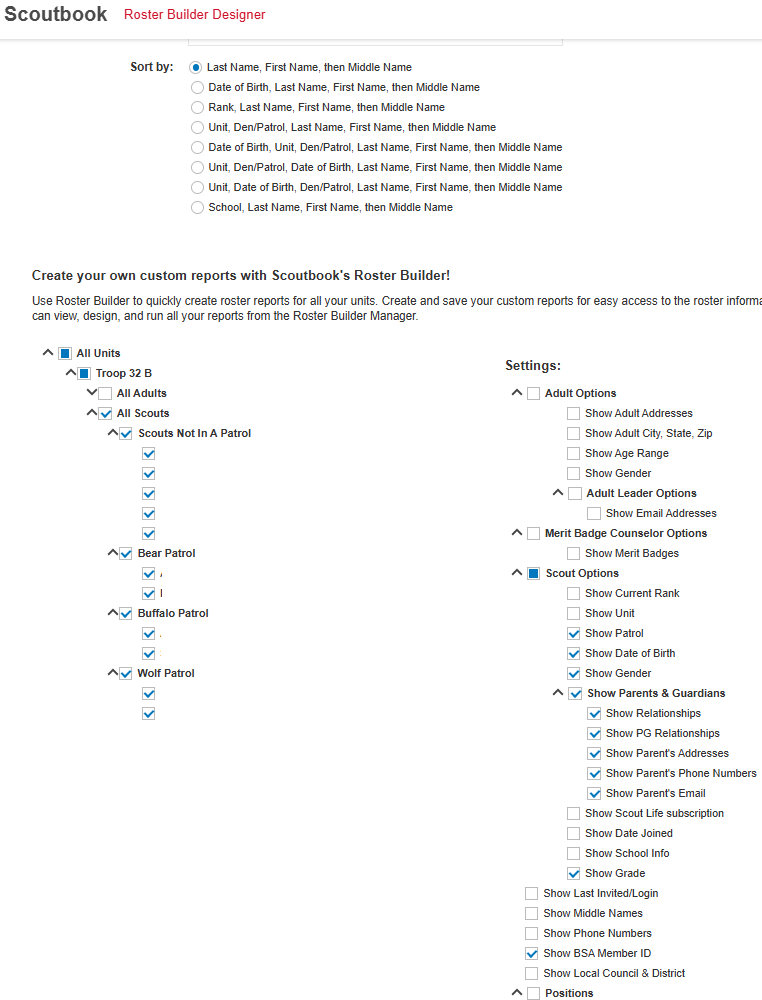
- Return to Roster Builder Design, and repeat for Youth using settings illustrated below.
- Import the files using More, Import in the Windows app.